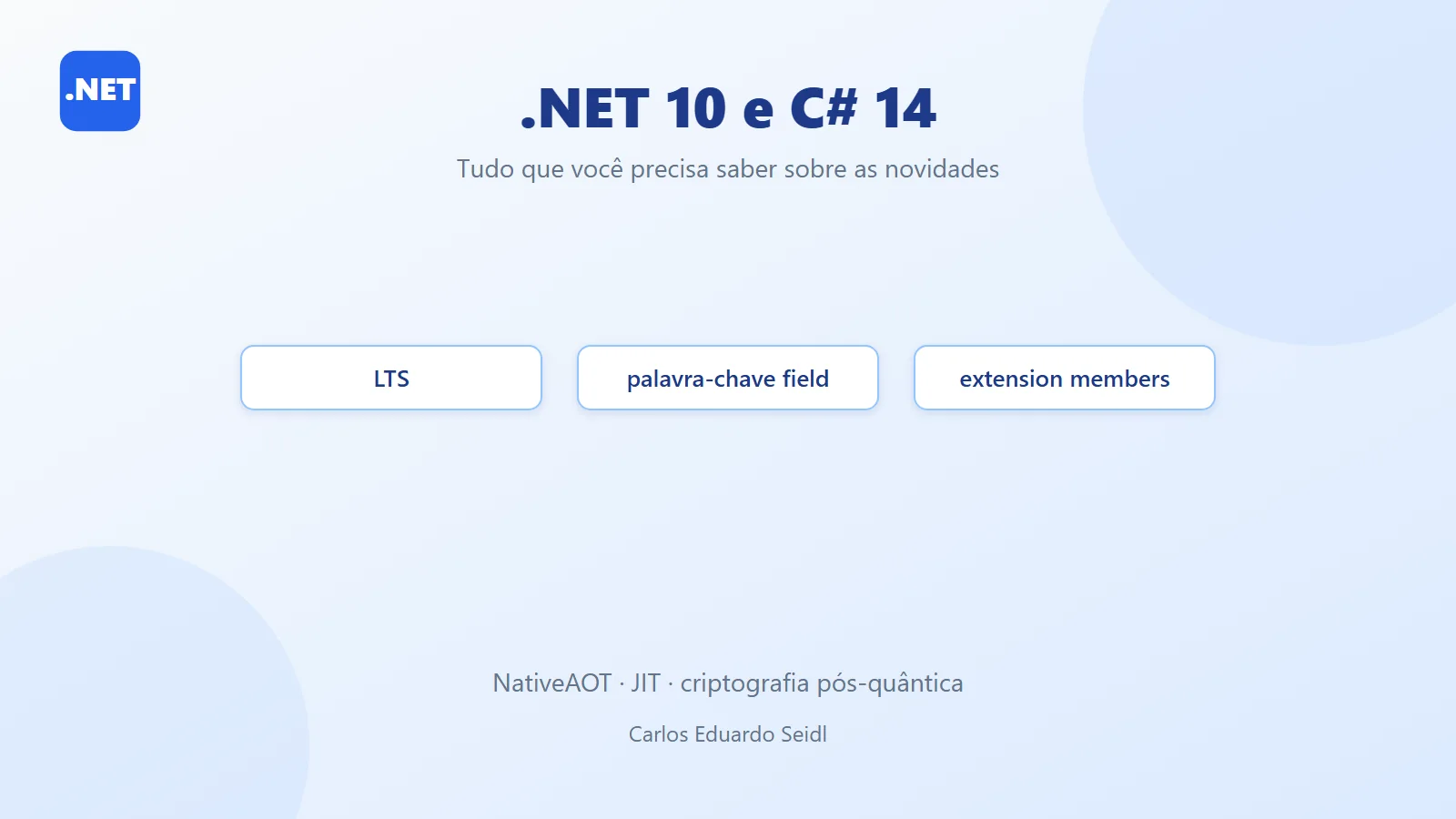
The new version of .NET and C# is here: .NET 10 and C# 14 are available, bringing significant advances to the platform and the language. This release is LTS (Long-Term Support), with guaranteed support until November 2028, offering stability for enterprise applications and long-term projects.
.NET, which began its journey in 2002, went through a complete transformation with the arrival of .NET Core in 2016. Now, with .NET 10, we have a unified, cross-platform ecosystem optimized for cloud-native, AI and extreme performance. C#, which was born alongside .NET, reaches its 14th version with features that make code more expressive, safer and more productive.
Fun facts: this is the first release to natively integrate optimizations for post-quantum computing, with advanced NativeAOT support and improvements that bring .NET even closer to the world of containers and microservices. On top of that, the release cycle remains annual, with LTS versions every two years, giving companies predictability.
What's new in .NET 10: JIT, NativeAOT, security and containers
Recent JIT optimizations (.NET 8)
More aggressive inlining
- Inlining is the process of replacing a method call with the method's own body.
- This reduces function call overhead and enables other optimizations, such as dead code elimination.
The Math.Abs(int) method is small and frequently used, so the JIT now inlines it automatically.
Method devirtualization
- Virtual methods normally require a lookup in the virtual method table (vtable), which is slower.
- The JIT now tries to resolve these calls at compile time, replacing them with direct calls when possible.
- This is possible when the object's type is known for certain at JIT compilation time.
Loop optimization
- The JIT is smarter when analyzing loops and can apply:
- Unrolling: reduces the number of iterations by repeating the loop body.
- Vectorization: uses SIMD (Single Instruction, Multiple Data) instructions to process multiple data items in parallel.
- Redundant code elimination: such as calculations that don't change inside the loop.
Bounds check elimination
- In loops that access arrays, the JIT can eliminate bounds checks if it can prove the accesses are safe.
🧠 Practical benefits
- Better performance: fewer method calls, fewer checks, more use of native instructions.
- Lower CPU usage: especially in high-performance scenarios such as data processing, games, or AI.
- Better use of modern features: such as AVX2/AVX-512 instructions on modern CPUs.
Stack allocation with stackalloc
Lets you create arrays directly on the stack, avoiding heap allocation and garbage collection. Ideal for temporary buffers.
🧵 What is stackalloc?
stackalloc is a C# expression that lets you allocate memory directly on the stack instead of the heap. This is useful for creating temporary buffers extremely fast and with lower overhead, since:
- The stack is much faster than the heap for allocation and deallocation.
- Memory allocated on the stack is automatically released when the method returns.
- It avoids garbage collection (GC), which improves performance in latency-sensitive applications.
📦 Practical example
Explanation:
- stackalloc int[5]: allocates an array of 5 integers directly on the stack.
- Span<int>: is a type that represents a contiguous slice of memory. It can point to memory on the stack, on the heap, or even to unmanaged memory.
- The foreach loop walks through the buffer's elements, which will initially hold the default value (zero).
⚡ Advantages
- Performance: Allocation and release are practically instantaneous.
- Zero GC: Ideal for scenarios where the GC can cause unwanted pauses (e.g., games, image processing, AI).
- Safety: Span<T> is safe, since it doesn't allow out-of-bounds access and can't be stored in fields that outlive the stack scope.
⚠️ Caveats
- The stack has a size limit (usually a few MB per thread). Allocating very large buffers can cause StackOverflowException.
- It can only be used inside methods that don't return references outside the stack scope.
🧪 Comparison with the Heap
AVX10.2 support
Speeds up numerical calculations and large-scale operations, benefiting AI and scientific simulations.
Improved NativeAOT
Generates more optimized native executables, reducing startup time and memory consumption.
NativeAOT stands for Ahead-of-Time Compilation. Unlike the traditional .NET model, which uses JIT (Just-In-Time) to compile code during execution, NativeAOT compiles everything before execution, producing a native executable for the target operating system and architecture.
This removes the need for the runtime to perform optimizations on the fly, reducing:
- Startup time (ideal for serverless applications, microservices and CLIs).
- Memory consumption, since there is no extra metadata and no JIT engine loaded.
- External dependencies, since the binary includes everything needed to run.
✅ Main benefits
- Ultra-fast startup
Applications can start up to 3x faster than with JIT, which is essential for low-latency APIs or serverless functions. - Smaller footprint
The generated binaries are smaller and leaner, reducing costs in resource-constrained environments. - Security and simplified distribution
Since the executable is native, it doesn't depend on installing the .NET Runtime on the target machine.
⚙️ How to use it
Publishing with NativeAOT is simple:
This command generates a native binary for Windows x64. You can use other Runtime Identifiers (RIDs) for Linux or macOS.
🔥 Ideal scenarios
- Serverless (AWS Lambda, Azure Functions): Every millisecond counts.
- CLI tools: Instant startup.
- Minimalist containers: Small binaries with no extra dependencies.
⚠️ Limitations
- Not all APIs are supported (e.g., advanced Reflection).
- Binaries are less flexible for dynamic scenarios.
Post-quantum cryptography
Support for quantum-resistant algorithms, such as ML-DSA.
🔍 What is post-quantum cryptography?
Traditional cryptography (RSA, ECC) bases its security on the difficulty of solving mathematical problems such as factoring large numbers or discrete logarithms. Classical computers would take billions of years to break these keys, but quantum computers can solve these problems in minutes using algorithms such as Shor's.
This means that, once quantum computing reaches maturity, many of today's systems will be vulnerable.
✅ How does .NET 10 address this?
.NET 10 introduces support for quantum-resistant algorithms, known as PQC (Post-Quantum Cryptography). One example is ML-DSA (Module Lattice-based Digital Signature Algorithm), based on linear algebra problems over lattices, which are hard even for quantum computers.
These algorithms were standardized by NIST (National Institute of Standards and Technology) as part of the global effort to migrate to post-quantum cryptography.
⚙️ Benefits:
- Future-proof security: Protects data against quantum attacks.
- Compatibility: Can be used alongside classical algorithms (hybrid mode).
- Critical applications: Banking, government, IoT, healthcare — any sector that needs to guarantee confidentiality for decades.
✅ Practical example (concept)
Although .NET 10 doesn't yet have a simplified public API for ML-DSA, the idea is that you can use libraries that implement PQC:
🔥 Why does this matter now?
Even though quantum computers capable of breaking RSA don't yet exist at scale, data encrypted today can be stored and broken in the future (“harvest now, decrypt later”). That's why migrating to PQC is essential for information that needs to stay secure for decades.
Safer JSON serialization
New options block comments and trailing commas, preventing insecure parsing.
🔍 Why is this necessary?
JSON is widely used for data exchange in APIs, but its flexibility can open the door to vulnerabilities:
- Comments in JSON: Although useful for humans, they can be exploited for malicious injection.
- Trailing commas: Can cause inconsistencies between different parsers.
- Malformed data: Can lead to failures or unexpected behavior.
These situations can be exploited in attacks such as:
- Code injection (when the parser accepts irregular syntax).
- Logical DoS (when invalid data causes loops or errors).
✅ What changed in .NET 10?
Now, System.Text.Json lets you configure stricter parsing rules:
- Block trailing commas (AllowTrailingCommas = false).
- Disable comments (ReadCommentHandling = JsonCommentHandling.Disallow).
This ensures that only strictly valid JSON is accepted.
⚙️ Practical example:
Result: The code throws an exception, preventing malformed data from being processed.
🔥 Benefits:
- Security: Reduces the risk of attacks via malicious payloads.
- Compliance: Ensures compatibility with strict JSON standards.
- Predictability: Avoids unexpected behavior in critical environments.
WebSocketStream
Makes real-time bidirectional communication easier.
🔍 What is WebSocketStream?
Traditionally, to use WebSockets in .NET, you had to work with ClientWebSocket and manually manage buffers, reads and writes. That made the code more verbose and error-prone.
WebSocketStream simplifies this by offering a stream-based abstraction, letting you work with WebSockets as if they were standard .NET streams (Stream). This means:
- Asynchronous reads and writes with familiar APIs (ReadAsync, WriteAsync).
- Integration with pipelines and other APIs that use streams.
- Less boilerplate code for buffer handling.
✅ Benefits:
- Cleaner, more intuitive code: No need to manually manage byte arrays.
- Better integration: Works well with APIs that already use streams, such as serialization and compression.
- Optimized performance: Takes advantage of .NET 10 improvements for asynchronous operations.
⚙️ Practical example:
Before, with ClientWebSocket:
Now, with WebSocketStream:
🔥 Ideal scenarios:
- Real-time chats.
- Data streaming (IoT sensors, telemetry).
- Multiplayer games.
- Financial applications that need instant updates.
TLS 1.3 for macOS
More security and lower latency in HTTPS connections.
🔍 What is TLS 1.3?
TLS (Transport Layer Security) is the protocol that secures web communications, guaranteeing:
- Confidentiality (data is encrypted).
- Integrity (data is not tampered with).
- Authentication (confirmation of the server's identity).
TLS 1.3 is the latest version and brings significant improvements over TLS 1.2:
- Faster handshake: Reduces the number of messages exchanged to establish the connection.
- Stronger encryption: Removes old, insecure algorithms.
- Lower latency: Ideal for applications that demand high performance.
✅ Why does this matter for macOS?
Before .NET 10, TLS 1.3 support was limited on some platforms. Now, .NET applications running on macOS can use TLS 1.3 natively, ensuring:
- State-of-the-art security for APIs, services and web applications.
- Compatibility with modern standards required by banks, cloud providers and critical systems.
- Better user experience with faster connections.
⚙️ How to use it in .NET
In most cases, you don't need to configure anything — .NET automatically uses the best version available. But you can force TLS 1.3:
🔥 Practical benefits:
- Lower latency: A shorter handshake means faster connections.
- More security: Old algorithms such as RSA key exchange were removed.
- Future readiness: TLS 1.3 is required by many modern APIs.
Running tools without installing them
Lets you run tools directly from the CLI
🔍 What does this mean?
Before, to use tools such as dotnet-format or dotnet-ef, you had to install them globally or locally via:
That added dependencies and required version management.
Now, with dotnet tool run, you can run tools directly, without a permanent installation. This is useful for:
- CI/CD environments: Avoids cluttering pipelines with unnecessary installs.
- Isolated projects: Each project can use its own version of the tool.
- Security: Reduces the risk of conflicts between global versions.
✅ How does it work?
The command:
does the following:
- Looks up the tool in the local manifest (dotnet-tools.json).
- Runs it without requiring a global installation.
- Lets you pass arguments (--check to verify formatting without changing files).
🔥 Benefits:
- Less configuration: No need to install globally.
- Consistency: Each project uses the version defined in the manifest.
- Easy automation: Ideal for scripts and pipelines.
⚙️ Practical example:
-
Add the tool to the project:
-
Run it without a global installation:
Native container publishing
Generates optimized Docker images with NativeAOT.
🔍 What is this?
Traditionally, when you publish a .NET application to run in a container, you produce an image based on a .NET runtime. This means:
- A larger image (it contains the runtime plus dependencies).
- Slower startup (the JIT has to compile code on the first run).
With PublishContainer and NativeAOT, .NET 10 lets you:
- Generate native binaries (no runtime needed).
- Create minimalist Docker images, with only the executable and essential dependencies.
This drastically reduces:
- Image size (ideal for network-constrained environments).
- Startup time (critical for microservices and serverless).
✅ How to use it
The command is simple:
This command:
- Compiles the application with NativeAOT.
- Generates a ready-to-use Docker image.
- Uses a Dockerfile automatically generated by the SDK.
You can specify parameters such as:
🔥 Benefits:
- Ultra-fast startup: Ideal for APIs and serverless functions.
- Smaller images: Reduces storage costs and deploy time.
- Security: Fewer components mean a smaller attack surface.
- Portability: The native binary runs without depending on the .NET runtime.
⚠️ Limitations:
- Not all APIs are compatible with NativeAOT (e.g., advanced Reflection).
- Binaries are less flexible for dynamic scenarios.
What's new in C# 14: field, extension members and more
field Keyword
Access to the internal field of auto-implemented properties.
🔍 What was the problem before?
When you create an auto-implemented property:
The compiler generates a hidden backing field to store the value. However, if you wanted to add logic (such as validation or transformation), you had to manually create a private field:
This adds code and loses the convenience of auto-implemented properties.
✅ What changes with field?
Now, you can access the backing field directly inside the getter or setter, without declaring a field manually:
The compiler understands that field is the automatically generated internal field.
🔥 Benefits:
- Less boilerplate code: No need to create private variables.
- More readability: It remains an auto-implemented property, but with custom logic.
- Consistency: Ideal for simple validations, logging or transformations.
⚙️ Practical example:
Here, you add validation without losing the simplicity of the auto-implemented property.
🔍 Ideal scenarios:
- Input validation.
- Data normalization (e.g., converting to uppercase).
- Change logging.
Extension Members
Lets you add properties and indexers via extensions.
What was the limitation before?
Before C# 14, you could add extension methods to existing types:
But it wasn't possible to add properties or indexers via extensions. This limited the ability to enrich types without creating wrappers or unnecessary inheritance.
✅ What changes now?
With extension members, you can declare extension blocks that add:
- Properties (e.g., IsEmpty for collections).
- Indexers (e.g., accessing elements by index).
- Events and even additional methods.
Example:
Now, any IEnumerable<T> will have:
- An IsEmpty property to check whether it is empty.
- An indexer to access elements by position, without having to convert to a list.
🔥 Benefits:
- More expressive code: No helper classes or duplicated logic.
- Reuse: Additional functionality can be applied to existing types without changing their definition.
- Organization: Groups related extensions into clear blocks.
⚙️ Ideal scenarios:
- Fluent APIs: Add useful properties to collections.
- Utility libraries: Create extensions for .NET types without wrappers.
- Specific domains: Enrich types with additional behavior without inheritance.
⚠️ Caveats:
- Don't overdo it: adding too many properties can confuse the people using the API.
- Avoid name conflicts with existing members.
Improved Null-Conditional Assignment
Simplifies safe assignments.
🔍 What was the situation before?
The ??= operator was introduced to assign a value to a variable only if it is null:
This avoids writing:
That code is verbose and not very elegant.
✅ What changes in C# 14?
Now you can use ??= directly with the null-conditional operator (?.), simplifying safe assignments:
This means:
- If myObject is not null and Property is null, assign defaultValue.
- Otherwise, do nothing.
🔥 Benefits:
- Less repetitive code.
- More readability: Expresses the intent clearly.
- Protection against NullReferenceException.
⚙️ Practical example:
🔍 Ideal scenarios:
- Initializing optional properties.
- Setting default values on complex objects.
- Avoiding multiple nested ifs for null checks.
nameof for unbound generic types
Useful for logging and code generation.
🔍 What was the limitation before?
The nameof operator returns the name of a variable, type or member at compile time. For example:
But, up to C# 13, it wasn't possible to use nameof with unbound generic types (such as List<>). This made scenarios harder where you wanted to generate code or dynamic messages without instantiating the type.
✅ What changes in C# 14?
Now you can use:
This returns only the base name of the generic type, without parameters. It's useful for:
- Logging: Record type names without creating instances.
- Code generation tools: Create templates that reference generic types.
- Validation: Show clear messages without hardcoding.
🔥 Benefits:
- More clarity: Avoids magic strings.
- Fewer errors: The name is resolved by the compiler, not by manual text.
- Generics compatibility: Works for any unbound type.
⚙️ Practical example:
🔍 Ideal scenarios:
- Code generation tools (e.g., scaffolding).
- Dynamic error messages.
- APIs that work with generic types.
Implicit conversions to Span<T>
Arrays can be passed directly to methods that use Span<T>.
🔍 What was the situation before?
The Span<T> type was introduced to work with memory slices without making unnecessary copies. It is widely used for:
- Array processing.
- Buffer manipulation.
- High-performance operations with no extra allocation.
Before C# 14, to pass an array to a method that accepts Span<T> or ReadOnlySpan<T>, you had to do an explicit conversion:
✅ What changes now?
With C# 14, that conversion is implicit. In other words, you can simply pass the array:
This works for:
- Arrays (T[]).
- ArraySegment<T>.
- Strings (for ReadOnlySpan<char>).
🔥 Benefits:
- Cleaner code: No need for explicit conversions.
- Performance: Avoids unnecessary copies, since Span<T> is a lightweight structure that points to the original memory.
- Safety: Span<T> is safe against out-of-bounds access.
⚙️ Practical example:
Imagine a method that processes bytes:
🔍 Ideal scenarios:
- Manipulating large arrays without overhead.
- High-performance APIs (e.g., cryptography, compression).
- String processing with ReadOnlySpan<char>.
Lambdas with modifiers
Now support out parameters and modifiers.
🔍 What was the limitation before?
Before C# 14, lambdas couldn't have parameters with modifiers. For example, if you wanted to use a method like int.TryParse, which has an out parameter, you couldn't create a lambda for it directly:
You had to create a separate method or use specific delegates.
✅ What changes now?
With C# 14, this is allowed. Now you can write:
Here, TryParse<int> is a delegate defined as:
The lambda implements that delegate directly, including the out modifier.
🔥 Benefits:
- Less boilerplate code: No need to create helper methods.
- More expressiveness: Lambdas can represent complex operations with modifiers.
- Better integration with existing APIs: Such as TryParse methods, which are common in .NET.
⚙️ Practical example:
🔍 Ideal scenarios:
- Validation and parsing: Integration with TryParse methods.
- APIs that use delegates with modifiers.
- Simplifying code in pipelines.
Partial Constructors and Events
Constructors and events can be split across multiple files.
🔍 What was the limitation before?
Before, you could split classes, structs and interfaces across multiple files using partial types, but:
- Constructors and events couldn't be declared as partial.
- This made scenarios harder where different parts of the code needed to contribute to initialization logic or to events.
For example, if you had a class partially generated by a tool and wanted to add logic to the constructor, you had to duplicate code or create helper methods.
✅ What changes now?
With C# 14, you can declare constructors and events as partial, allowing their implementation to be split across several files:
The same applies to events:
🔥 Benefits:
- Better organization: Generated code and handwritten code can coexist without conflicts.
- Easier code generation: Tools can generate part of the constructor and you complete the logic.
- Flexibility: Lets you add logic without modifying automatically generated files.
⚙️ Ideal scenarios:
- Source Generators: Automatic generation of constructors with basic initialization.
- Large projects: Separate initialization logic into modules.
- Extensible APIs: Events can be implemented partially by different parts.
Conclusion: what .NET 10 and C# 14 bring
.NET 10 and C# 14 are not just incremental updates — they're a leap toward a more modern, efficient and secure ecosystem. With improvements ranging from performance to post-quantum security, this release is essential for anyone looking to build robust, scalable applications.
Links: .NET Conf 2025 videos about .NET 10
Keep reading
- Records in C#: Less Boilerplate, More Meaning!: details records, a C# feature used in DTOs and value objects.
- dotnetup: Managing .NET SDKs and Runtimes Without Administrator Rights: shows how to manage .NET SDKs and runtimes without needing administrator rights.
- Minimal APIs in ASP.NET Core: covers ASP.NET Core Minimal APIs, with their risks and route groups.
Need highly available .NET APIs? See the backend and .NET architecture service.